Review missing files
A file becomes unavailable when Asset Grove still has a catalog record but can no longer find the original at its saved path.
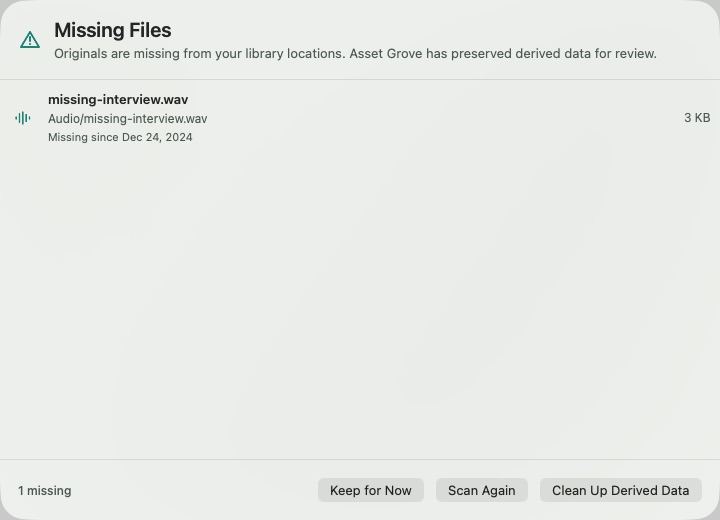
- Select Review on the missing-files notice or open Pipeline Details.
- Review the unavailable filename and location.
- Reconnect an offline drive or restore the original to the same path when possible.
- Run Scan Library and confirm the item becomes available.
- If the original was intentionally removed, select the cleanup action to remove its derived Asset Grove data.
:::warning Cleanup boundary Missing-file cleanup removes the catalog entry, preview, caption, transcript, keywords, and index data held by Asset Grove. It does not delete an original file that still exists elsewhere. :::
If many files suddenly appear missing, stop before cleanup. Check the external drive, mount path, folder name, and macOS authorization first.